Photo to sketch: turn any picture into a pencil, charcoal or ink drawing
Turn a photo into a sketch without drawing it yourself: Image to Image AI's photo to sketch tool reinterprets a portrait, pet or scene as a hand-drawn sketch. Choose graphite, charcoal or pen, then guide the shading and compare the drawing with your original photo.
2 free credits for new verified accounts
From 1 credit per generation
Compare every version
Private by default
Real exampleSAVED EXAMPLE
BEFORESAVED AI RESULT
Saved example · gpt-image-2. Drag the slider to compare. Upload your own photo to try your settings.
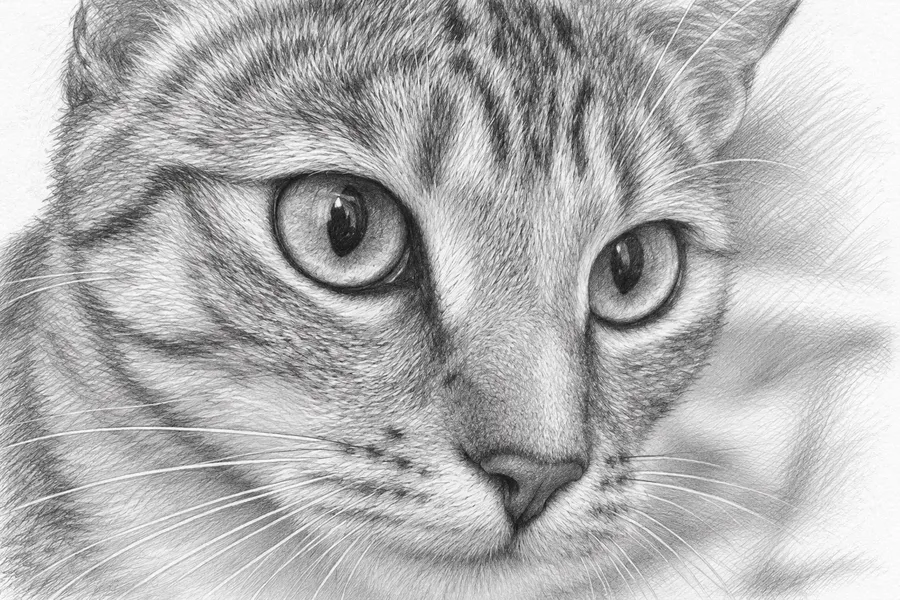
Turn this photo into a graphite pencil sketch on white paper. Preserve the main subject, proportions and recognizable composition. Use natural hand-drawn pencil lines and subtle crosshatching, grayscale only, no color, no added objects, no text or watermark.
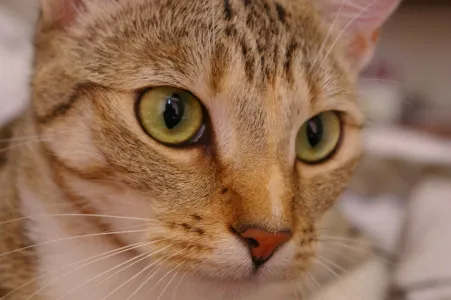
The gaze, whiskers and fur pattern remain recognizable. Fine pencil marks are dense and may merge in a small print.
BEFORE AND AFTER
Photo to sketch examples
For measured pet gifts and the remaining limits of coloring pages, see our photo editing use cases.
Original photos and actual AI outputs. Compare the interpretation, then open the generation details to see the prompt, model and source. The same photos ran through three models in our image to image AI test.
BEFOREAI RESULT
Chelsea the cat
The gaze, whiskers and fur pattern remain recognizable. Fine pencil marks are dense and may merge in a small print.
Generation details and image source
Model: gpt-image-2. Generated: 2026-11-10. Result shown without retouching.
Prompt: Turn this photo into a graphite pencil sketch on white paper. Preserve the main subject, proportions and recognizable composition. Use natural hand-drawn pencil lines and subtle crosshatching, grayscale only, no color, no added objects, no text or watermark.
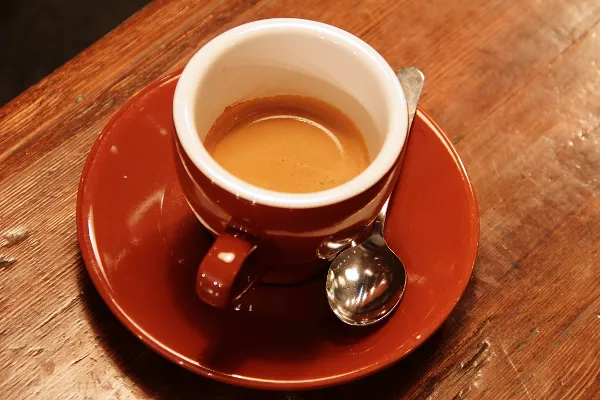
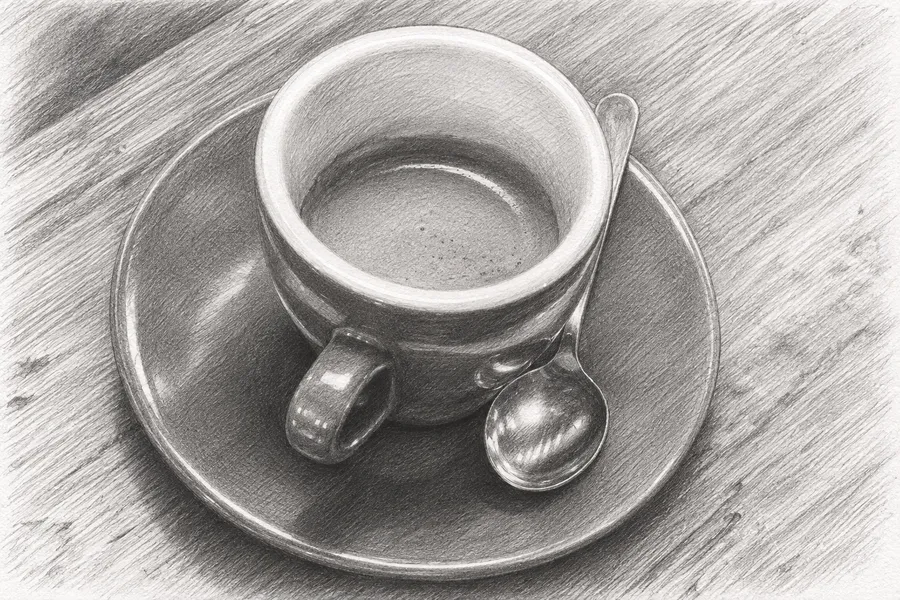
The cup, remaining coffee, spoon and wooden table remain visible. The model interprets reflections rather than tracing every source detail.
Generation details and image source
Model: gpt-image-2. Generated: 2026-11-10. Result shown without retouching.
Prompt: Turn this photo into a graphite pencil sketch on white paper. Preserve the main subject, proportions and recognizable composition. Use natural hand-drawn pencil lines and subtle crosshatching, grayscale only, no color, no added objects, no text or watermark.
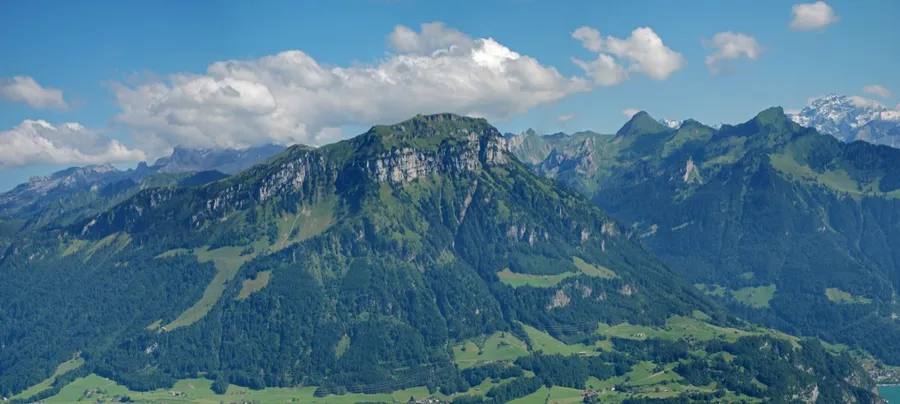
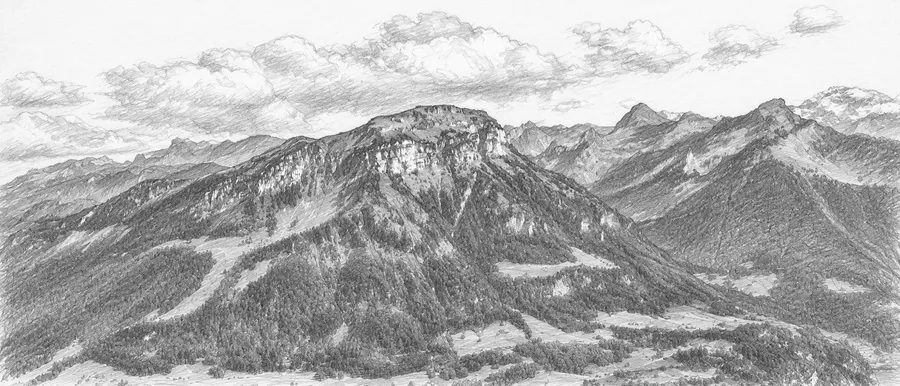
The main ridge and valley remain recognizable with pencil texture. Distant buildings and vegetation are approximate, not a geographic record.
Generation details and image source
Model: gpt-image-2. Generated: 2026-11-10. Result shown without retouching.
Prompt: Turn this photo into a graphite pencil sketch on white paper. Preserve the main subject, proportions and recognizable composition. Use natural hand-drawn pencil lines and subtle crosshatching, grayscale only, no color, no added objects, no text or watermark.
A sketch is built from tone, not just outlines, so one clear light direction gives the shading something to follow. Deep and dramatic shading can merge dark hair, fur or night scenes into solid black; in the cat example, fine pencil marks are already dense. Choose Light and soft when shadow detail matters.
Likeness in faces and pets
The drawing aims to keep the gaze, markings and pose; the cat example kept its gaze, whiskers and fur pattern. Eyes, expression and proportions can still shift, so use a sharp, well-lit photo when likeness matters.
Backgrounds are interpreted, not traced
Distant buildings, foliage, reflections and lettering are redrawn from the AI's reading of the photo. In the mountain example, buildings and vegetation are approximate, not a geographic record.
Use a clear portrait, pet or scene with visible light and shadow. Avoid heavy blur; the AI may invent details it cannot read.
STEP 02
Choose medium and shading
Pick graphite, charcoal or ink, then choose light or dramatic shading. Optional notes can ask for a simpler background or emphasis on the subject.
STEP 03
Inspect the drawing
Compare facial features, hands, edges and composition. Change the drawing settings for another version, then download your favorite.
IDEAS TO TRY
Sketch ideas for portraits, pets and travel photos
A graphite portrait
Graphite with soft shading asks for fine strokes and restrained contrast. Expect an interpretation, not a forensic likeness.
An expressive pet drawing
Charcoal can turn fur and shadows into broad textured marks. Use a sharp photo so the main features are easier to recognize.
A graphic travel memory
Ink and dramatic shading ask for clear pen lines and strong darks. Busy foliage and architectural text may be simplified or invented.
WHAT TO EXPECT
Limits of an AI sketch: an interpretation, not a tracing
Picture to sketch with AI creates a new drawing rather than applying a filter. It can alter facial likeness, proportions, lettering and fine architectural details.
Medium and shading choices change the prompt. They do not simulate physical materials exactly or control individual strokes.
Each photo to sketch drawing downloads as a raster image, not an editable vector drawing or layered art file. It does not restore missing detail from a blurry photo.
PRICING
Start with 2 credits, then pay once for more
GPT Image 2 uses 1 credit per image; Nano Banana 2 uses 3. Failed generations are refunded automatically. Comparing and downloading existing results are free.
STARTER PACKONE-TIME
$9.99/ 60 credits
Enough to try plenty of ideas on your photos. Pay once; there is no subscription.
60 credits, about 17¢ each
Every tool, including AI room design
Any prompt, any photo
Purchased credits never expire
Failed images refunded automatically
Private to your account
VALUE PACKBEST VALUE
$19.99/ 200 credits
For bigger projects and lots of versions, at the lowest price per credit.
200 credits, about 10¢ each
Everything in the Starter Pack
Room to try many versions of each photo
Purchased credits never expire
Failed images refunded automatically
Every new account starts with 2 free credits, which expire after 30 days. Prices in USD; taxes may apply. Secure checkout by Stripe.
FAQ
Photo to sketch: questions and answers
How do I turn a photo into a pencil sketch?
To turn a photo into a pencil sketch, upload your photo, leave the medium on Graphite pencil, and choose the shading. Generate a version, then compare the strokes and proportions with the original before downloading.
Can I choose charcoal or ink instead?
Yes. Charcoal asks for textured marks and soft smudging. Ink asks for precise pen lines and hatching. These are visual directions for the AI, so the result may mix characteristics rather than reproduce a physical medium exactly.
What does the shading setting change?
Light and soft asks for restrained contrast and more white paper. Deep and dramatic asks for stronger darks and more pronounced shadows. It guides generation rather than adjusting your original photo's brightness.
Will the drawing preserve a person's face?
It aims to keep the subject recognizable, but eyes, expression, hands and proportions can change. A clear, well-lit photo helps. Compare the result carefully if likeness matters.
Why does a busy photo give a muddy sketch?
Every bit of fur, wood grain or foliage can become another pencil mark. In the cat example above, the fine marks are dense and may merge into gray in a small print, and in our model test one model's coffee cup sketch came out with heavy shadows. Choose Light and soft shading, ask for a simpler background, and check the drawing at the size you plan to print.
How is a photo sketch different from a coloring page?
A sketch keeps tone: graphite, charcoal or ink shading describes light and shadow, so dark areas are part of the drawing. A coloring page removes shading and aims for closed outlines around white areas you fill in yourself. For a printable sheet to color, use photo to coloring page instead.
Try another way to restyle your photo
See every tool with a real example on the AI photo styles page, or go straight to another style.
 BEFOREAI RESULT