Start with the problem you want to solve. See the original, every measured attempt, what worked and what still changed. Choose a task to open its own editor with an editable starting template.
12 tasks · 36 saved results · GPT Image 2
Eight examples support trying a bounded task; three only partly met the requirements, and one used a simulated blurry input. Each task repeats one photo and one prompt three times. These are small exploratory observations, not a success-rate benchmark or a guarantee for your photo.
The research used our model adapter, not the complete account, billing and download flow. The editor's starting templates adapt the recorded prompts; they have not been separately benchmarked. Photo editing redraws details, including faces and labels.
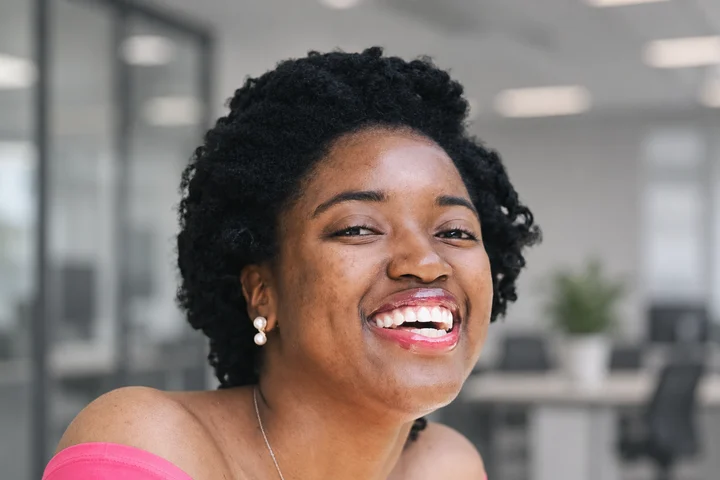
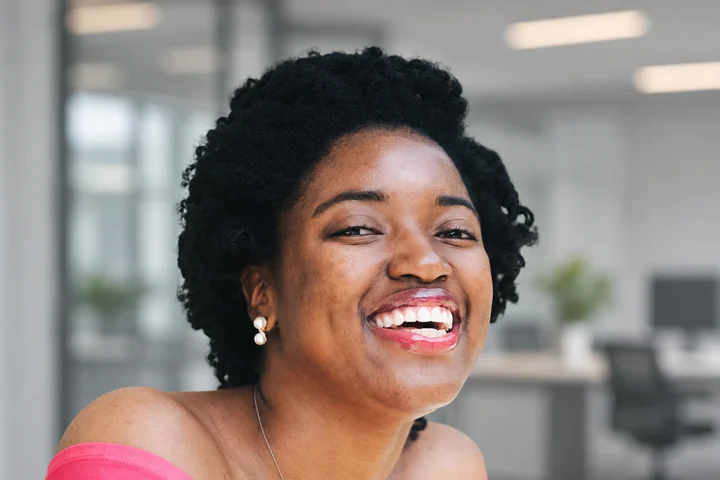
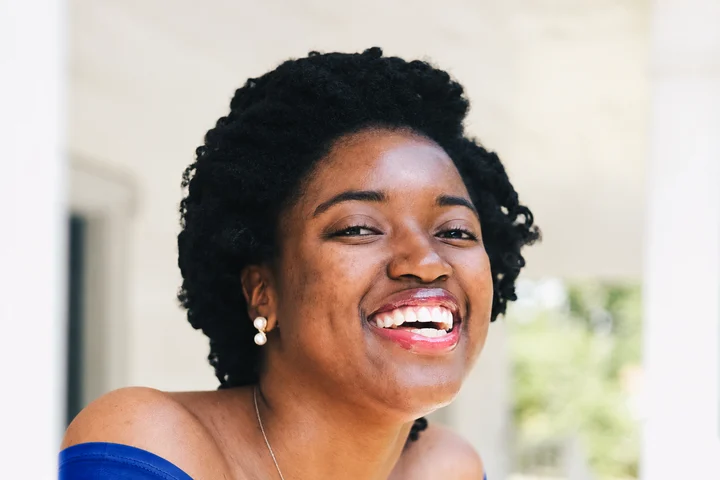
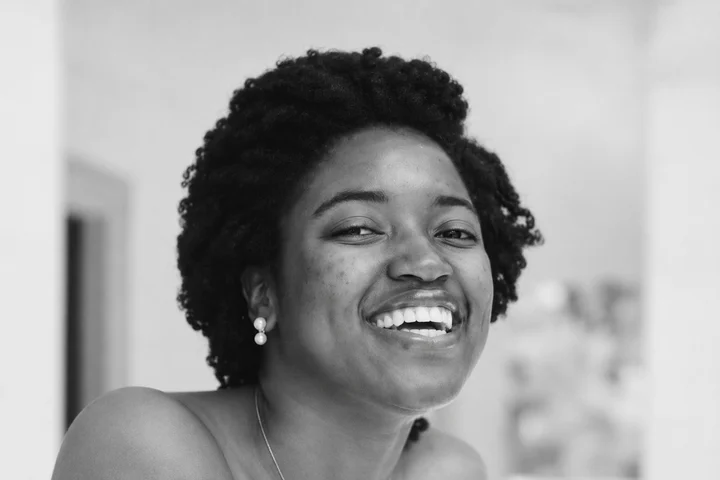
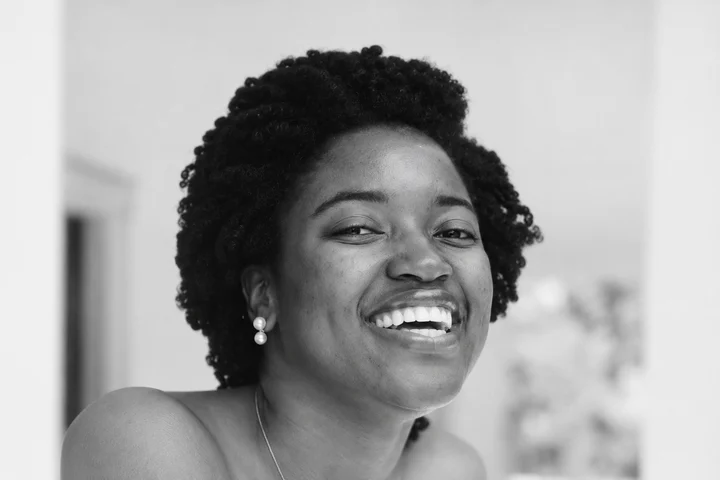
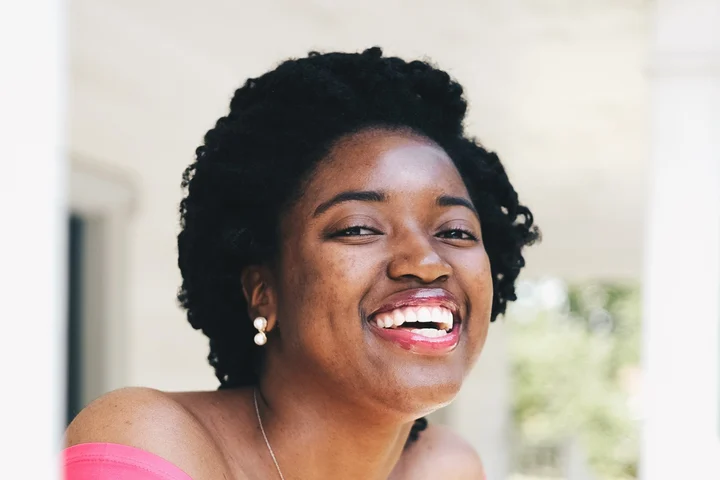
One well-lit portrait with visible facial features.
BEFOREATTEMPT 1
Observed in three attempts
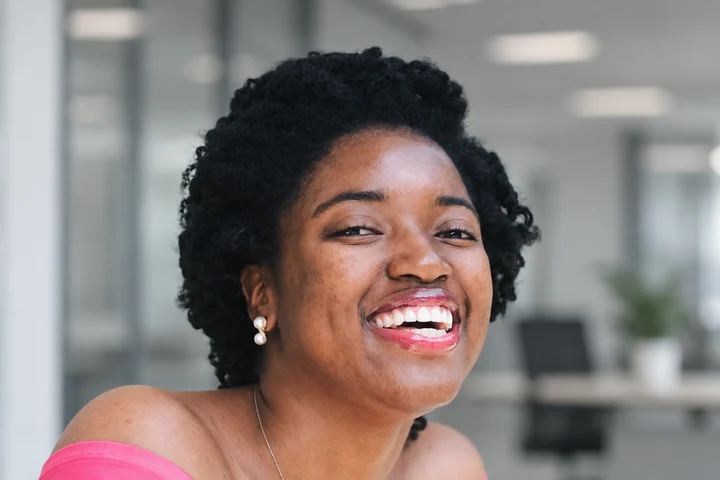
All three outputs replaced the background with a blurred office. The main facial features, smile, jewelry and pink shirt remained recognizable.
What changed or failed
Skin texture and hair were redrawn. This is not identity verification or an unchanged original portrait.
How to approach your photo
For exact likeness, retain the original person and composite a background; that workflow is not available here yet.
See all 3 results, recorded prompt and photo source
Attempt 1 · 1536 × 1024 original pixelsAttempt 2 · 1536 × 1024 original pixelsAttempt 3 · 1536 × 1024 original pixels
Recorded prompt · used unchanged for all 3 attempts
Replace only the background behind this woman with a softly blurred modern office in neutral gray tones. Keep her face, age, skin tone, skin texture, hair silhouette, smile, teeth, earrings, necklace, pink shirt, body pose and framing unchanged. Do not beautify, retouch, change clothing, add people, crop or zoom. Return one realistic edited photo.
Photo: Joshua McKnight · CC0 1.0. Reused existing site input: head-and-shoulders crop to 3:2, resized to 1536x1024 JPEG. No additional changes.
GPT Image 2 · 2026-11-12 · three independent requests on one input. Model API charges: $0.0255 for this group; these are research costs, not the site's credit price. Display images are resized WebP copies without retouching.
Open this photo editor Opens a dedicated editor with this task prefilled. Upload your own photo to generate.
Portraits · S02Example with limits
Change a shirt's color
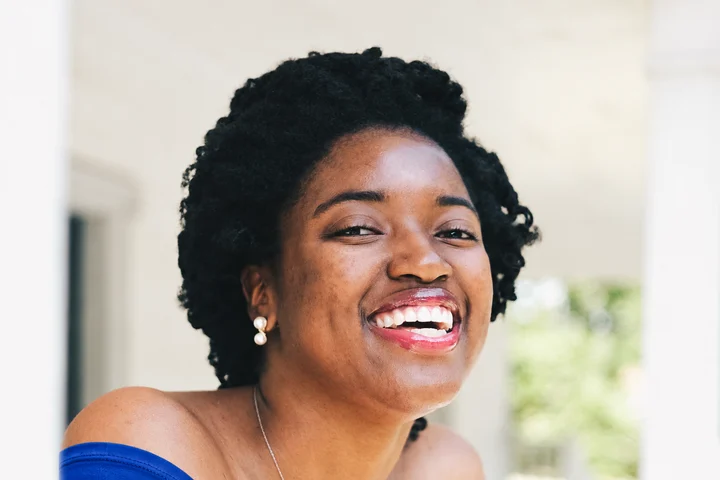
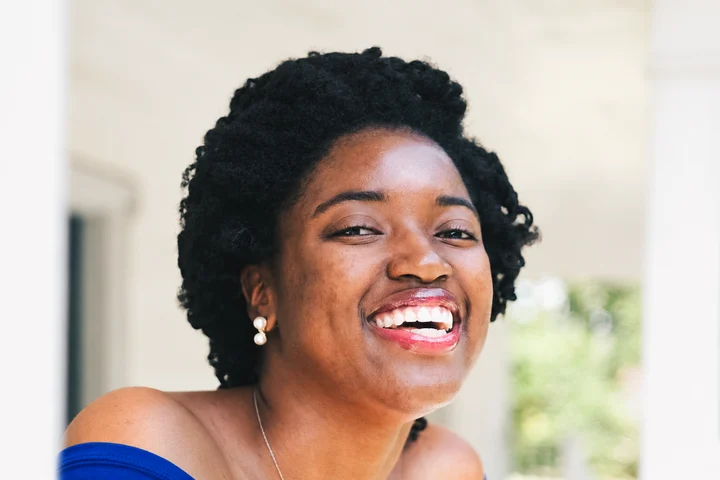
A clearly visible garment, with the target color specified.
BEFOREATTEMPT 1
Observed in three attempts
All three outputs changed the pink shirt to blue while retaining the main face, pose and background.
What changed or failed
Skin and small details were still redrawn outside the shirt.
How to approach your photo
Name the garment and the parts that should stay. If surrounding detail must be locked, a mask-based workflow needs separate validation.
See all 3 results, recorded prompt and photo source
Attempt 1 · 1536 × 1024 original pixelsAttempt 2 · 1536 × 1024 original pixelsAttempt 3 · 1536 × 1024 original pixels
Recorded prompt · used unchanged for all 3 attempts
Change only the visible pink fabric of the woman's shirt to royal blue. Preserve the shirt shape, folds and fabric texture. Keep the face, skin, teeth, hair, earrings, necklace, pose, background, lighting and framing unchanged. Do not retouch the face, add objects or change anything outside the shirt. Return one realistic edited photo.
Photo: Joshua McKnight · CC0 1.0. Reused existing site input: head-and-shoulders crop to 3:2, resized to 1536x1024 JPEG. No additional changes.
GPT Image 2 · 2026-11-12 · three independent requests on one input. Model API charges: $0.0255 for this group; these are research costs, not the site's credit price. Display images are resized WebP copies without retouching.
Open this photo editor Opens a dedicated editor with this task prefilled. Upload your own photo to generate.
Products · S03Example with limits
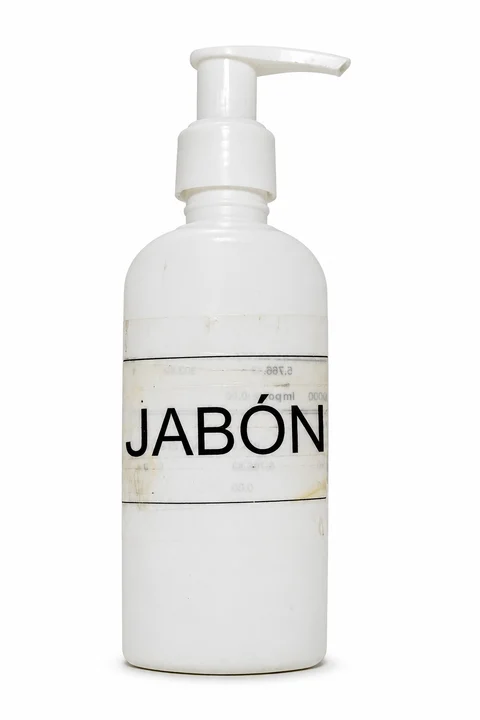
Put a product on white
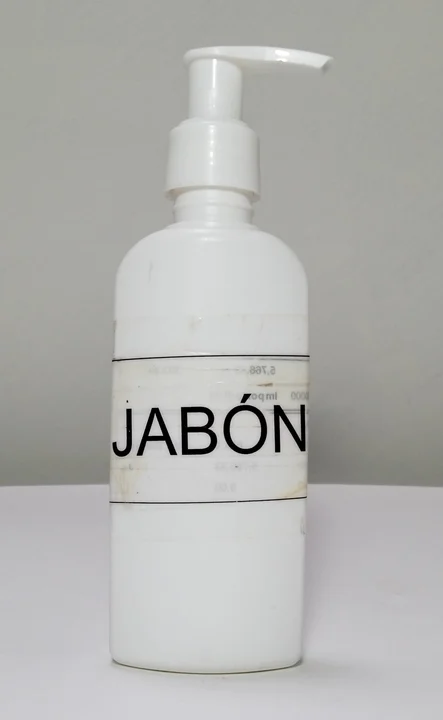
A sharp product photo with a readable label.
BEFOREATTEMPT 1
Observed in three attempts
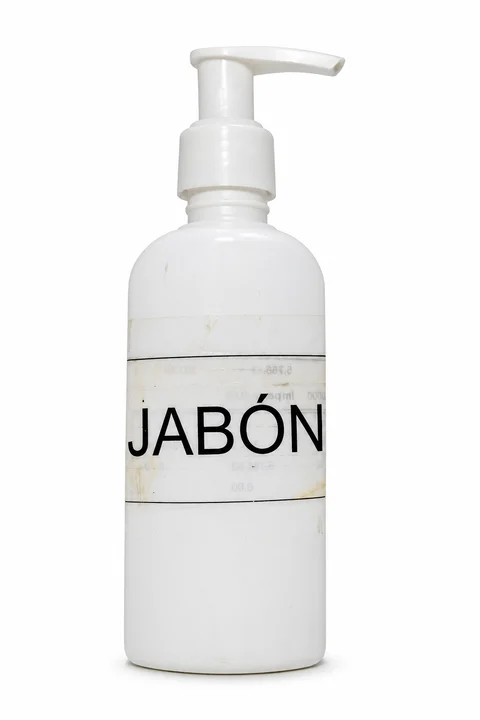
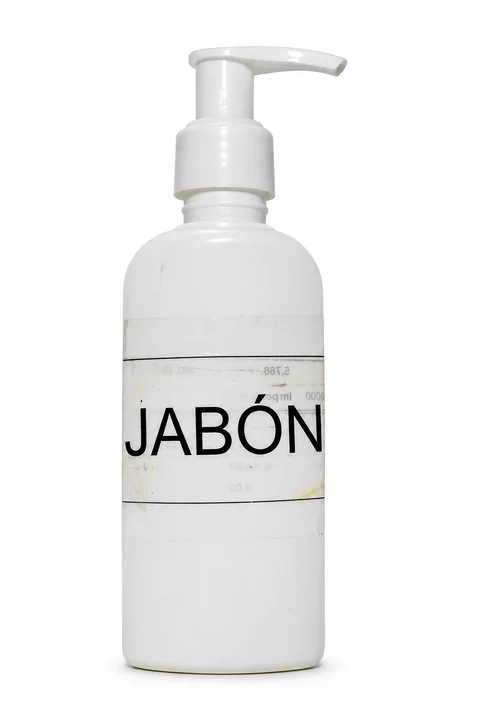
All three outputs produced a white background and contact shadow. The main JABÓN label, accent, pump direction and worn marks remained recognizable.
What changed or failed
The source ratio was about 0.615; the outputs used 2:3. Small source text was too blurred for letter-by-letter verification.
How to approach your photo
Inspect your actual label and product outline at full size. Use original-product compositing when exact preservation is essential; it is not available here yet.
See all 3 results, recorded prompt and photo source
Attempt 1 · 1024 × 1536 original pixelsAttempt 2 · 1024 × 1536 original pixelsAttempt 3 · 1024 × 1536 original pixels
Recorded prompt · used unchanged for all 3 attempts
Replace only the gray background and tabletop with a seamless pure white studio background. Keep the exact soap bottle, pump shape, nozzle direction, label, all printed letters including JABÓN with its accent, worn marks, original proportions and framing. Add only a subtle natural contact shadow below the bottle. Do not clean up, redesign, relabel, crop or zoom the product. Return one realistic product photo.
Photo: ELTORO.VET · CC0 1.0. 1600x2600 JPEG resized proportionally to max edge 1536, JPEG quality 92; no crop or retouch.
GPT Image 2 · 2026-11-12 · three independent requests on one input. Model API charges: $0.0255 for this group; these are research costs, not the site's credit price. Display images are resized WebP copies without retouching.
Open this photo editor Opens a dedicated editor with this task prefilled. Upload your own photo to generate.
Products · S04Example with limits
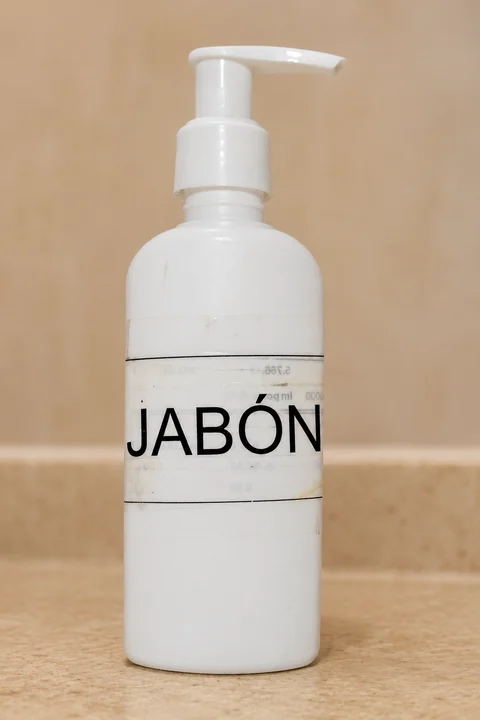
Place a product in a lifestyle scene
One product and a specific description of its surroundings.
BEFOREATTEMPT 1
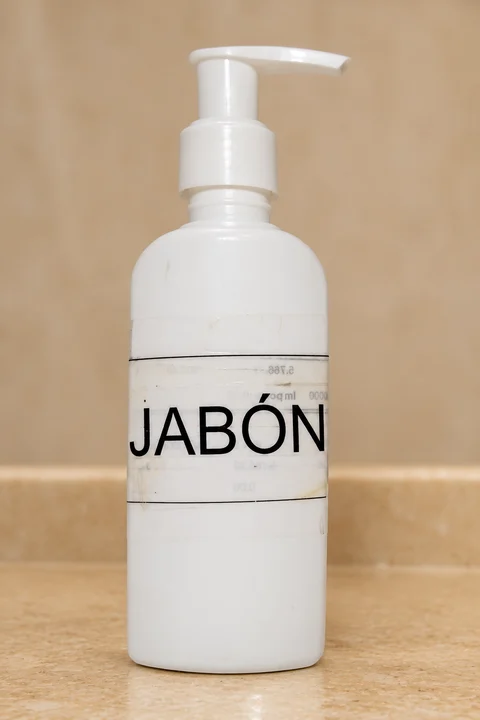
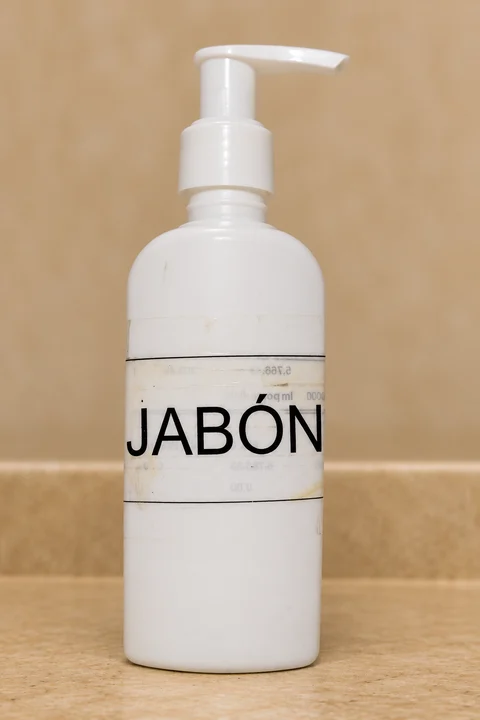
Observed in three attempts
All three outputs placed the bottle on a beige counter. The main label, bottle and pump remained recognizable.
What changed or failed
Background textures differed across the three outputs. One repeated product does not establish consistency across a catalog.
How to approach your photo
Describe the surface and background separately and check the label. A shared-reference, multi-product workflow still needs validation.
See all 3 results, recorded prompt and photo source
Attempt 1 · 1024 × 1536 original pixelsAttempt 2 · 1024 × 1536 original pixelsAttempt 3 · 1024 × 1536 original pixels
Recorded prompt · used unchanged for all 3 attempts
Change only the background and surface around this soap bottle to a warm beige bathroom counter with a softly blurred beige wall. Keep the bottle at exactly the same image position and scale. Preserve the original pump, nozzle, bottle shape, white plastic, worn label and every printed letter including JABÓN. Do not add accessories in front of the bottle, invent branding, repair the label, crop or zoom. Return one realistic edited photo.
Photo: ELTORO.VET · CC0 1.0. 1600x2600 JPEG resized proportionally to max edge 1536, JPEG quality 92; no crop or retouch.
GPT Image 2 · 2026-11-12 · three independent requests on one input. Model API charges: $0.0255 for this group; these are research costs, not the site's credit price. Display images are resized WebP copies without retouching.
Open this photo editor Opens a dedicated editor with this task prefilled. Upload your own photo to generate.
Local edits · S05Example with limits
Remove a small object
An object with a clear location and visible surrounding texture.
BEFOREATTEMPT 1
Observed in three attempts
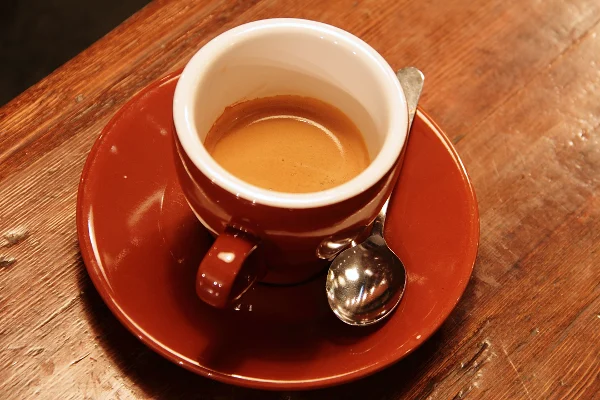
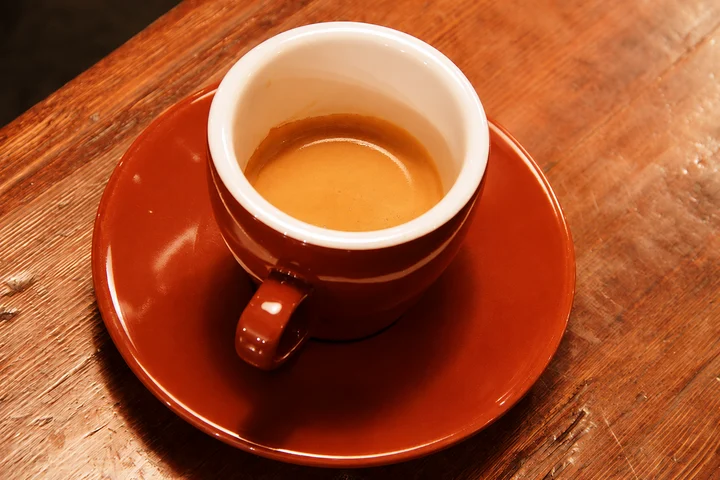
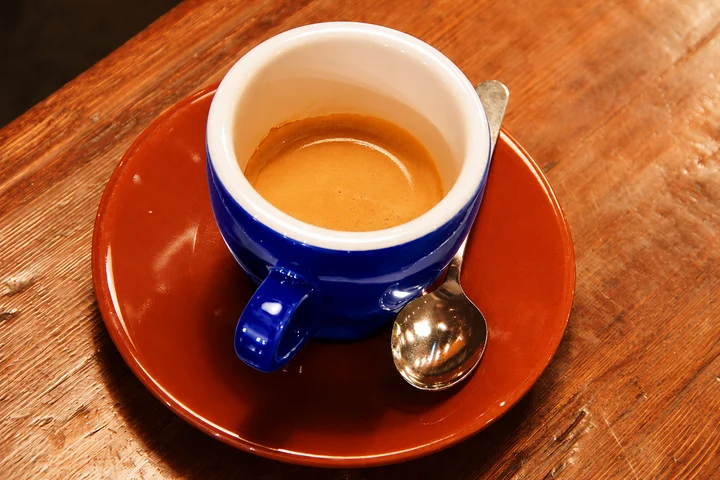
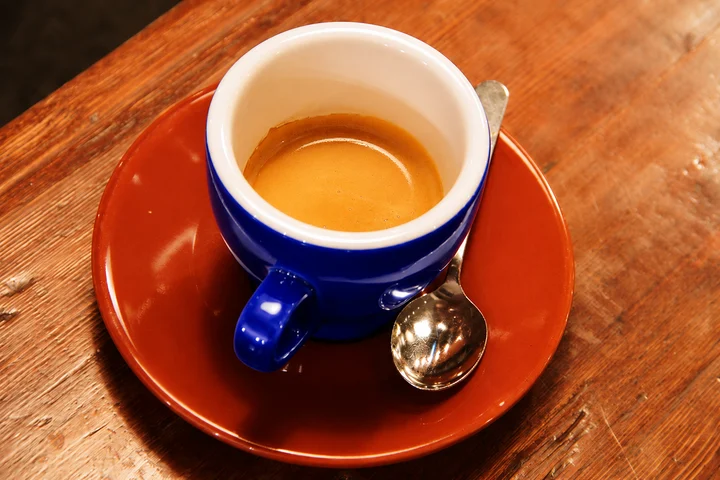
All three outputs removed the teaspoon and its handle, filling the area with saucer and table textures.
What changed or failed
Fine wood grain, reflections and tone were redrawn outside the removed object.
How to approach your photo
Name the entire object, including separated visible parts. Zoom into the fill and surrounding objects before using the result.
See all 3 results, recorded prompt and photo source
Attempt 1 · 1536 × 1024 original pixelsAttempt 2 · 1536 × 1024 original pixelsAttempt 3 · 1536 × 1024 original pixels
Recorded prompt · used unchanged for all 3 attempts
Remove only the metal teaspoon resting on the right side of the coffee saucer, including its visible handle behind the cup. Fill the removed area naturally with the existing saucer and wooden table textures. Keep the coffee, cup, handle, saucer outline, their colors, wood grain outside the removed region, lighting, camera angle and framing unchanged. Do not add objects or redesign the scene.
GPT Image 2 · 2026-11-12 · three independent requests on one input. Model API charges: $0.0255 for this group; these are research costs, not the site's credit price. Display images are resized WebP copies without retouching.
Open this photo editor Opens a dedicated editor with this task prefilled. Upload your own photo to generate.
Local edits · S06Example with limits
Recolor a cup, keeping the saucer
A clearly separated target surface and nearby objects.
BEFOREATTEMPT 1
Observed in three attempts
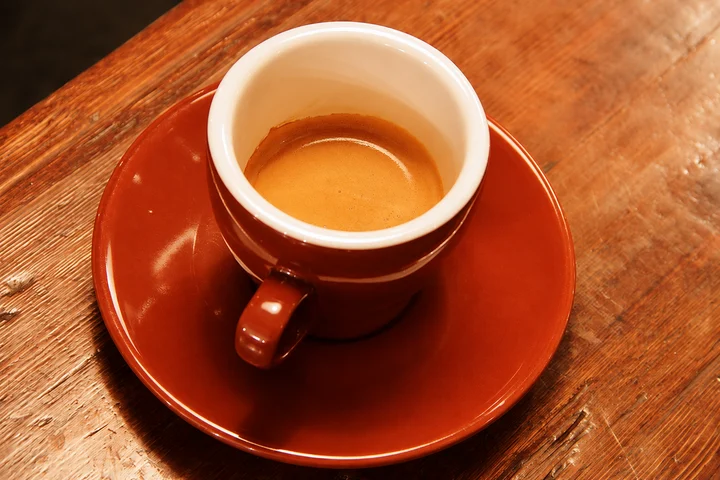
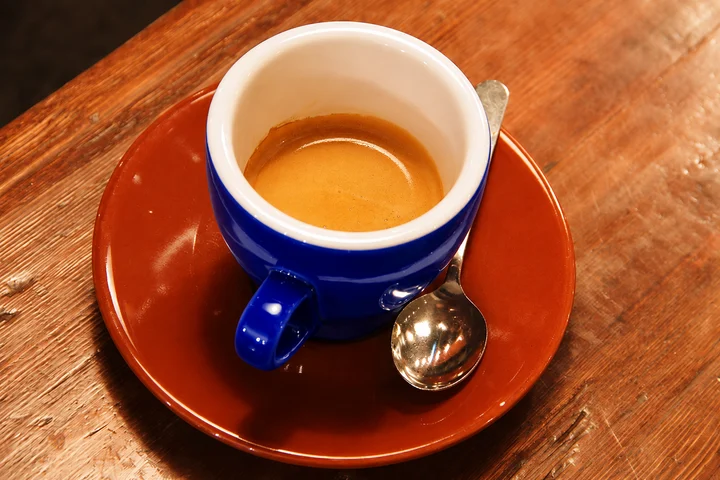
All three outputs made the cup exterior and handle blue, keeping the inside white, the coffee present and the saucer red-brown.
What changed or failed
Reflections, fine wood grain and color values were not pixel-locked.
How to approach your photo
Name the exterior surface explicitly and specify the saucer's original color in the preservation request.
See all 3 results, recorded prompt and photo source
Attempt 1 · 1536 × 1024 original pixelsAttempt 2 · 1536 × 1024 original pixelsAttempt 3 · 1536 × 1024 original pixels
Recorded prompt · used unchanged for all 3 attempts
Change only the red-brown exterior glaze of the coffee cup, including its handle, to cobalt blue. Keep the inside of the cup white and keep the coffee unchanged. The saucer must remain its original red-brown color. Preserve the spoon, table, reflections, object positions, camera angle and framing. Do not recolor the saucer or change anything outside the cup exterior.
GPT Image 2 · 2026-11-12 · three independent requests on one input. Model API charges: $0.0255 for this group; these are research costs, not the site's credit price. Display images are resized WebP copies without retouching.
Open this photo editor Opens a dedicated editor with this task prefilled. Upload your own photo to generate.
Local edits · S07Example with limits
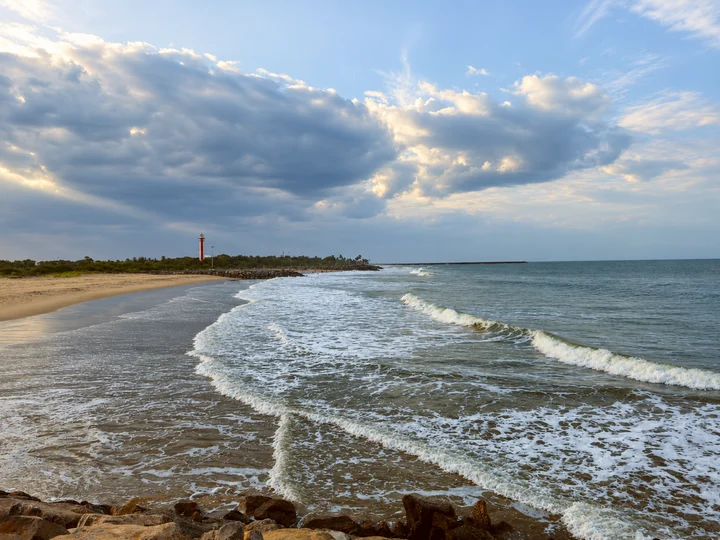
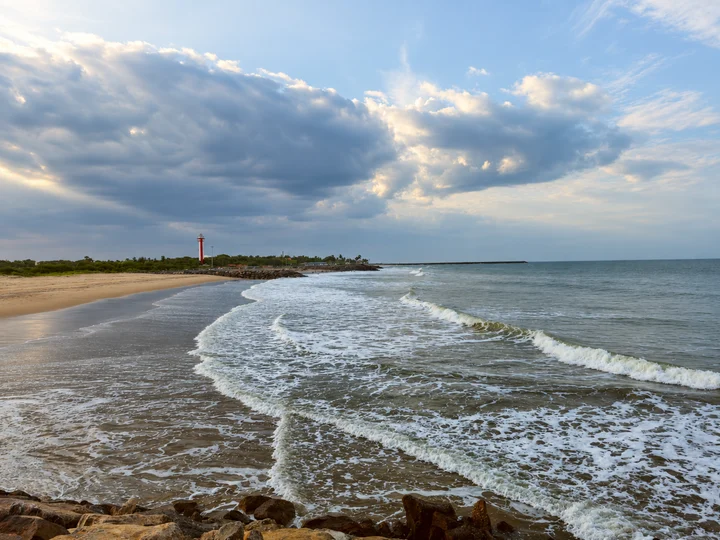
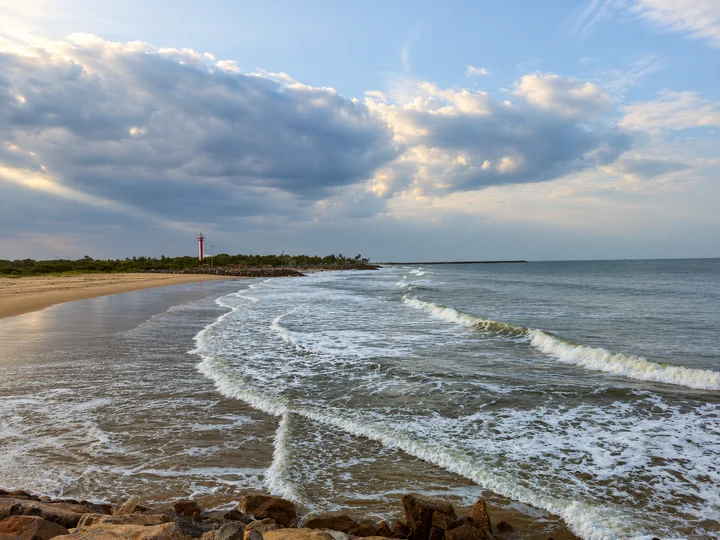
Remove tourists from a landscape
A landscape where the people to remove can be identified.
BEFOREATTEMPT 1
Observed in three attempts
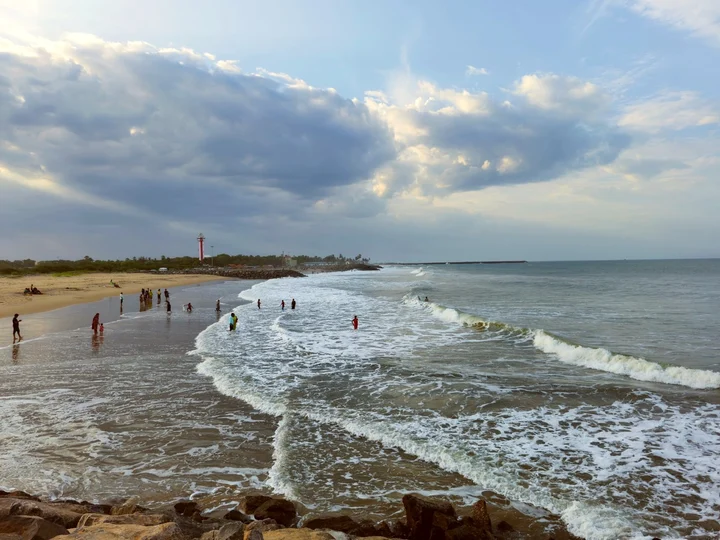
Visible tourists on the beach and in the water were removed in all three outputs. The lighthouse, horizon, rocks and main clouds remained recognizable.
What changed or failed
Waves, parts of the coastline and overall tone were redrawn. Indistinct distant dots cannot support a people-detection accuracy claim.
How to approach your photo
Check the whole scene and list landmarks to preserve. This example removes all people, including any foreground person.
See all 3 results, recorded prompt and photo source
Attempt 1 · 1448 × 1086 original pixelsAttempt 2 · 1448 × 1086 original pixelsAttempt 3 · 1448 × 1086 original pixels
Recorded prompt · used unchanged for all 3 attempts
Remove all people from the beach and the water, including the small distant figures. Fill their former positions naturally with sand or waves as appropriate. Preserve the red-and-white lighthouse, horizon, rocks, cloud shapes, coastline, lighting, original colors, camera angle and framing. Do not add people or objects, crop or change the weather. Return one realistic edited photograph.
Photo: E.Saravanan · CC0 1.0. Reused site 1200x900 JPEG downsample, no additional changes.
GPT Image 2 · 2026-11-12 · three independent requests on one input. Model API charges: $0.0255 for this group; these are research costs, not the site's credit price. Display images are resized WebP copies without retouching.
Open this photo editor Opens a dedicated editor with this task prefilled. Upload your own photo to generate.
Pet gifts · S08Partially met
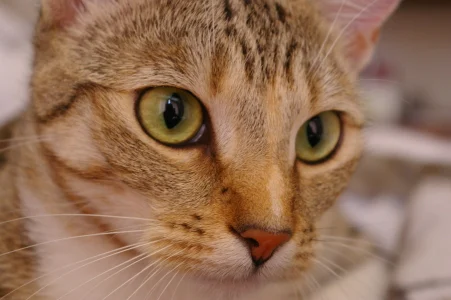
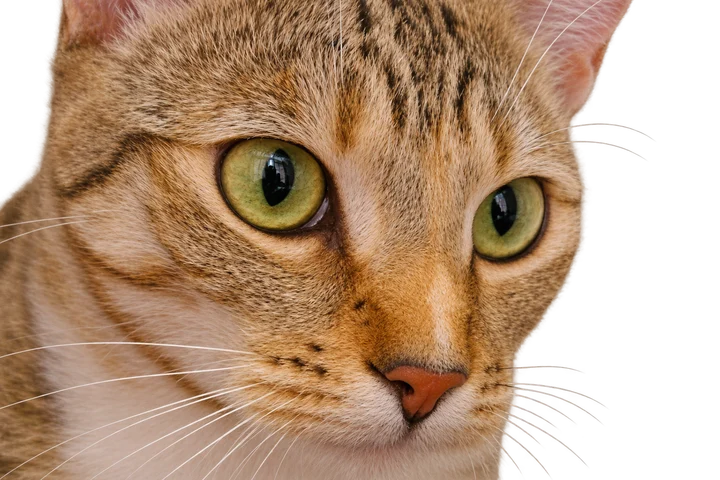
Make a pet coloring page
A pet photo with a clear face and simple background.
BEFOREATTEMPT 1
Observed in three attempts
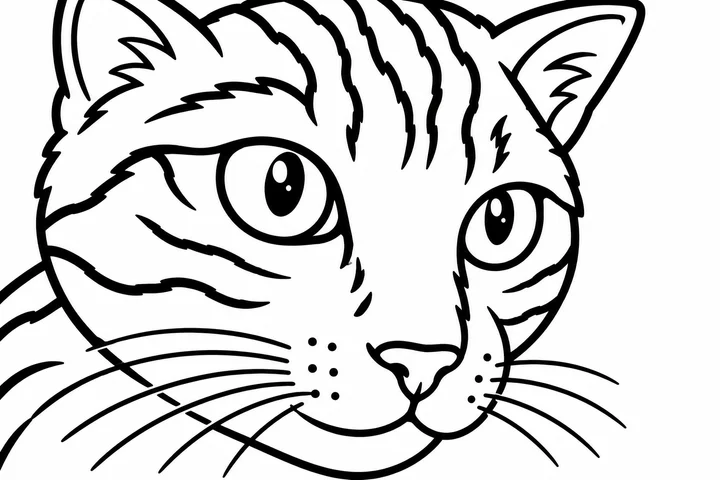
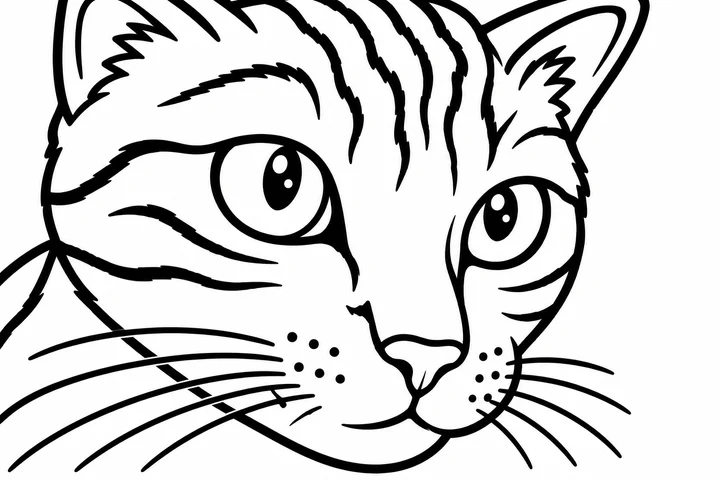
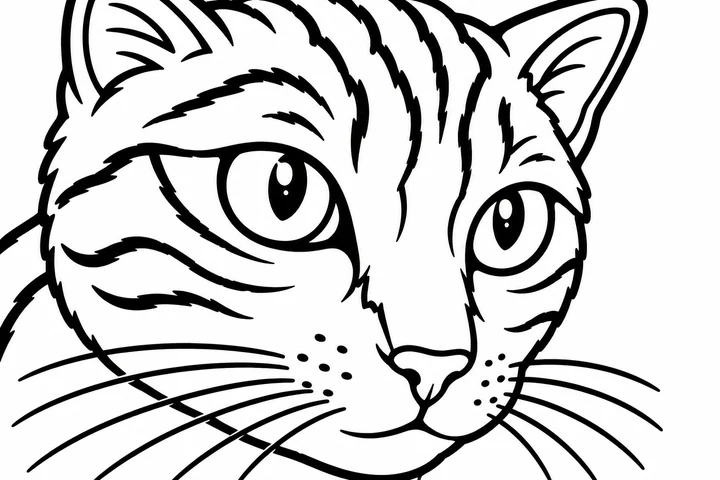
All three outputs produced a bold black-and-white cat outline on white.
What changed or failed
All three retained solid black pupils and some dark fills. Some whiskers and contours were open, so the no-fill requirement was not met.
How to approach your photo
Use the existing coloring tool with these limits in mind. Check dark regions and print size; improved outlines need further trials.
See all 3 results, recorded prompt and photo source
Attempt 1 · 1536 × 1024 original pixelsAttempt 2 · 1536 × 1024 original pixelsAttempt 3 · 1536 × 1024 original pixels
Recorded prompt · used unchanged for all 3 attempts
Turn this cat photo into a printable children's coloring page. Preserve this cat's face angle, ear shapes, eye positions, nose and recognizable tabby marking layout. Use bold clean closed black outlines on pure white, large open coloring areas, no gray shading, no solid black filled areas, no text or watermark. Simplify fur detail and background clutter. Keep the same overall framing.
GPT Image 2 · 2026-11-12 · three independent requests on one input. Model API charges: $0.0255 for this group; these are research costs, not the site's credit price. Display images are resized WebP copies without retouching.
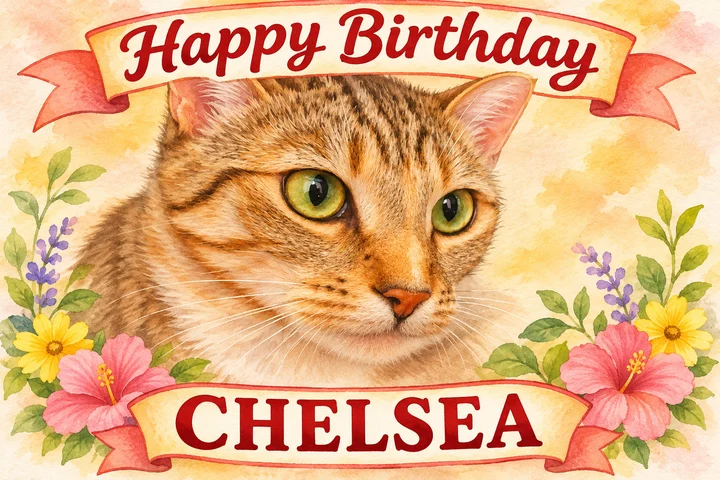
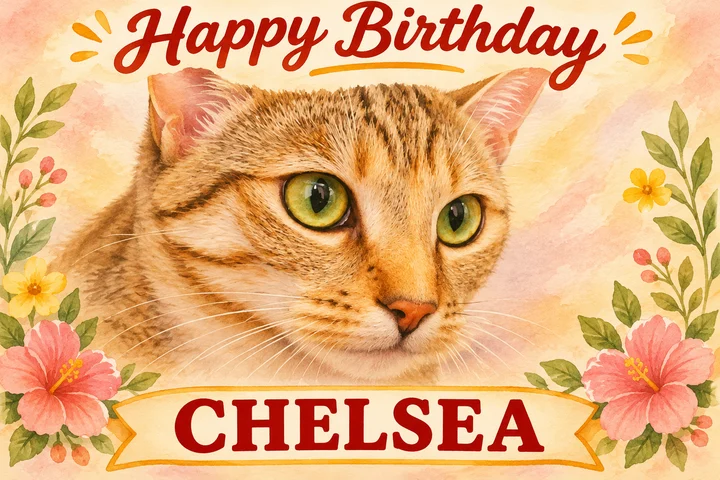
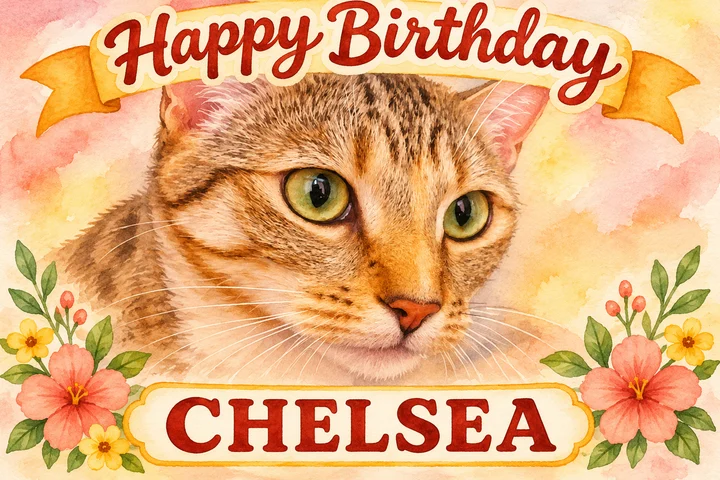
All three watercolor cards spelled Happy Birthday and CHELSEA correctly, left the eyes visible and added no other animals.
What changed or failed
Markings, ear contours and layout were reinterpreted. Two tested strings do not guarantee every name will be correct.
How to approach your photo
Replace the example name, then proofread the result. Precise editable text requires a separate text-overlay workflow.
See all 3 results, recorded prompt and photo source
Attempt 1 · 1536 × 1024 original pixelsAttempt 2 · 1536 × 1024 original pixelsAttempt 3 · 1536 × 1024 original pixels
Recorded prompt · used unchanged for all 3 attempts
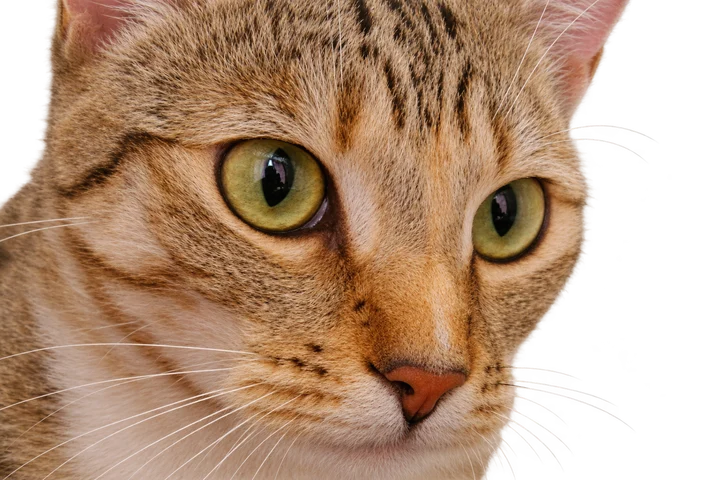
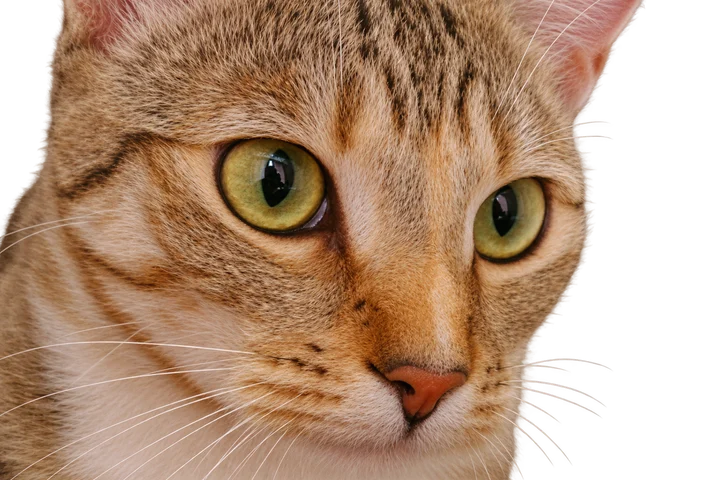
Create one landscape birthday greeting card using this specific cat as the main subject. Illustrate it in a warm friendly watercolor style, preserving its face angle, green eyes, pink-brown nose and distinctive tabby markings. Place the exact text "Happy Birthday" clearly at the top and "CHELSEA" clearly at the bottom. Keep the cat's eyes and ears unobstructed. No extra animals, no extra text, no watermark.
GPT Image 2 · 2026-11-12 · three independent requests on one input. Model API charges: $0.0255 for this group; these are research costs, not the site's credit price. Display images are resized WebP copies without retouching.
Open this photo editor Opens a dedicated editor with this task prefilled. Upload your own photo to generate.
Delivery · S10Partially met
Get a transparent pet cutout
A subject with visible edges; this is an experimental result.
BEFOREATTEMPT 1
Observed in three attempts
All three original PNGs contained real alpha transparency, rather than an opaque checkerboard or white backdrop.
What changed or failed
Fully transparent pixels were about 21.53%, 22.01% and 22.58%. Alpha peaked at 254 and the foreground was partly translucent. Fur and facial details were redrawn.
How to approach your photo
Inspect on light and dark backgrounds. PNG alone does not remove a background. A reliable opaque-foreground cutout needs further work.
See all 3 results, recorded prompt and photo source
Attempt 1 · 1536 × 1024 original pixelsAttempt 2 · 1536 × 1024 original pixelsAttempt 3 · 1536 × 1024 original pixels
Recorded prompt · used unchanged for all 3 attempts
Remove only the background around this cat and return a PNG with a genuinely transparent background and clean fur edges. Preserve the cat's exact face, green eyes, tabby stripes, whiskers, colors, pose, image position and framing. Do not paint a white, gray or checkerboard backdrop. No added objects, text or watermark.
GPT Image 2 · 2026-11-12 · three independent requests on one input. Model API charges: $0.0255 for this group; these are research costs, not the site's credit price. Display images are resized WebP copies without retouching.
This is an experiment record. A reliable workflow for this requirement is still being developed.
Experiments · S11Simulated experiment
Clarify a simulated blurry portrait
A modern portrait deliberately blurred and compressed for this experiment.
BEFOREATTEMPT 1
Observed in three attempts
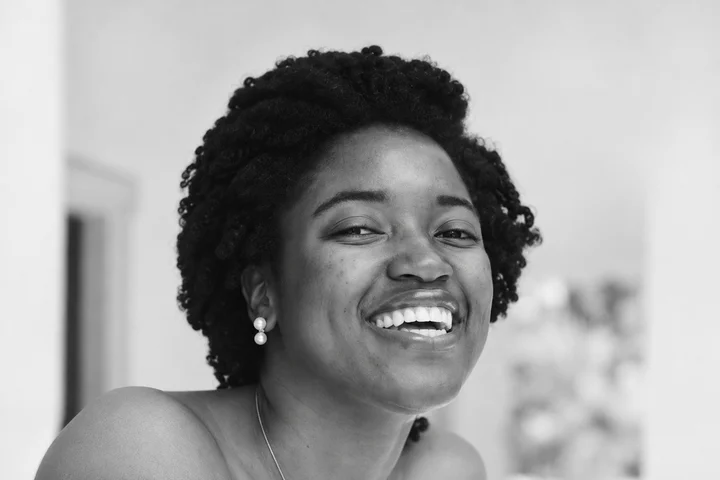
All three outputs looked clearer and stayed grayscale.
What changed or failed
Teeth, skin and earrings differed from the original clear reference. This was not a real historical photograph and does not show recovery of lost facts.
How to approach your photo
Keep the original as a reference. Real old-photo restoration needs authorized historical photos and a separate assessment.
See all 3 results, recorded prompt and photo source
Attempt 1 · 1536 × 1024 original pixelsAttempt 2 · 1536 × 1024 original pixelsAttempt 3 · 1536 × 1024 original pixels
Recorded prompt · used unchanged for all 3 attempts
Conservatively improve the clarity of this low-resolution grayscale portrait. Reduce compression artifacts and mild blur, while keeping the same person, age, face proportions, smile, teeth, hair, jewelry, pose, background and framing. Keep it grayscale. Do not beautify, change the face, invent jewelry, add teeth, colorize or stylize. If detail is uncertain, leave it soft rather than inventing it.
Photo: Joshua McKnight · CC0 1.0. Synthetic degradation of modern portrait: grayscale, downsample to width 384, Gaussian blur sigma 0.6, JPEG quality 45. NOT a historical photograph.
GPT Image 2 · 2026-11-12 · three independent requests on one input. Model API charges: $0.0255 for this group; these are research costs, not the site's credit price. Display images are resized WebP copies without retouching.
This is an experiment record. A reliable workflow for this requirement is still being developed.
Delivery · S12Partially met
Add text without moving the photo
A photo that needs a short, accurately placed title.
BEFOREATTEMPT 1
Observed in three attempts
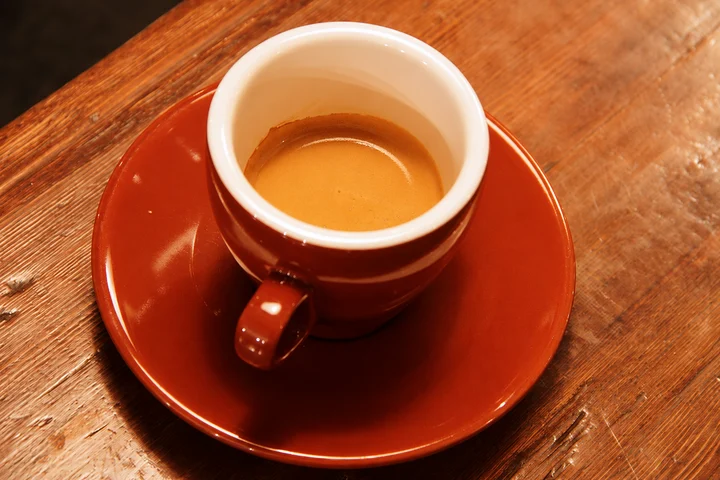
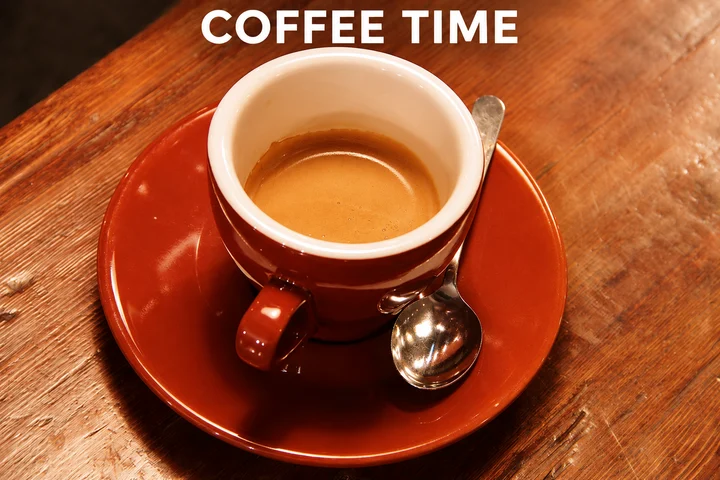
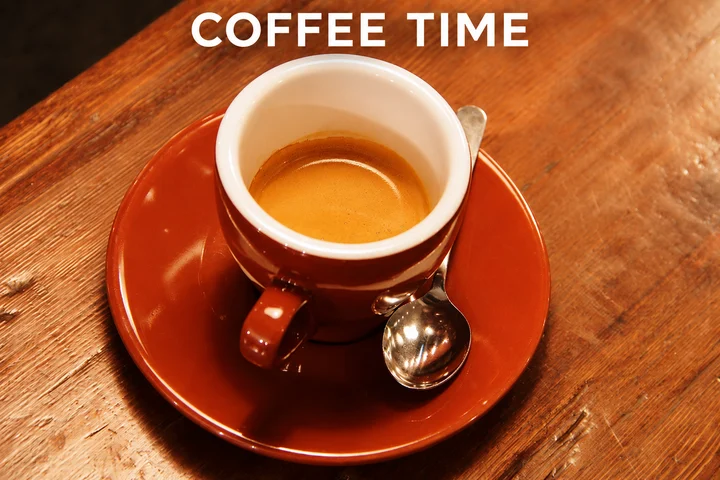
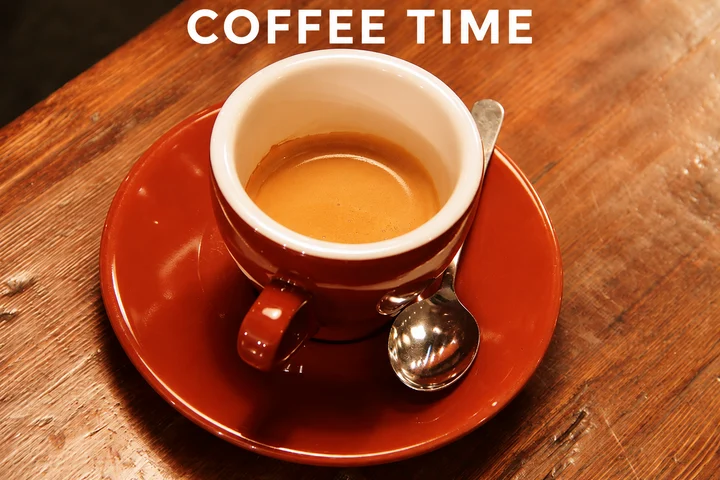
All three outputs spelled COFFEE TIME correctly above the cup rim.
What changed or failed
The model moved the cup and saucer to make room. The requirement to add only text while keeping the layout was not met.
How to approach your photo
Use deterministic text overlay when the original layout must stay. This AI-generation example is a limitation record, not an exact text-placement tool.
See all 3 results, recorded prompt and photo source
Attempt 1 · 1536 × 1024 original pixelsAttempt 2 · 1536 × 1024 original pixelsAttempt 3 · 1536 × 1024 original pixels
Recorded prompt · used unchanged for all 3 attempts
Keep the original coffee photo and composition. Add the exact title "COFFEE TIME" in one straight horizontal line of clean white uppercase sans-serif letters near the top of the image, entirely above the cup rim and without covering the cup or spoon. Preserve the original cup, saucer, spoon, coffee, wood grain, colors, lighting, camera angle and framing. No other text, objects, borders or watermarks.
GPT Image 2 · 2026-11-12 · three independent requests on one input. Model API charges: $0.0255 for this group; these are research costs, not the site's credit price. Display images are resized WebP copies without retouching.
This is an experiment record. A reliable workflow for this requirement is still being developed.
Need help with the process?
For prompt structure, follow the photo editing guide. For failures or interrupted tasks, open My Designs to check the existing request before paying for another generation.
GPT Image 2 uses 1 credit per generation. New verified accounts receive 2 free credits. Comparing and downloading existing results are free. See credit prices and failure rules.
 BEFOREATTEMPT 1