Skip to content

1 · Your photo

or try a saved example · free

2 · Describe the change

Use a clear product photo. Check every label and logo in the result. See this task’s measured example →

460 / 1000 characters including instructions.

These requests guide the AI; they do not lock pixels. Check faces, labels and nearby objects. Keep the change and preservation requests compatible.

Browse all tools and tasks → · Add exact text or crop for free →

Shape & model
Ratio

Original uses the closest supported ratio to your photo. A new ratio may change the framing.

Faces and fine details can change with either model. The cost shown applies to each generation.

Download format

Format applies when downloading. PNG does not remove a background. PNG and WebP preserve existing transparency; JPG uses a white background.

New accounts receive 2 free credits. GPT Image 2 uses 1; Nano Banana 2 uses 3.

PHOTO EDITING · PRODUCTS

Put a product photo on a white background

A sharp product photo with a readable label. Use a clear product photo. Check every label and logo in the result.

  • Editable change and preservation requests
  • GPT Image 2 · 1 credit per generation

The source ratio was about 0.615; the outputs used 2:3. Small source text was too blurred for letter-by-letter verification.

Review the measured results and limits
Real exampleSAVED EXAMPLE
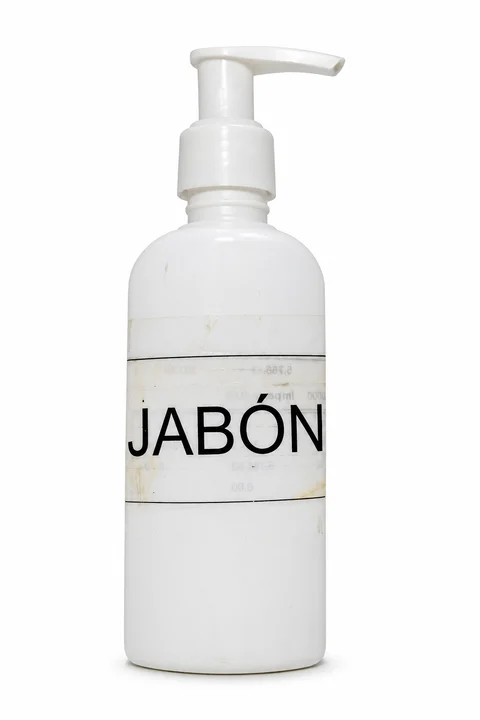
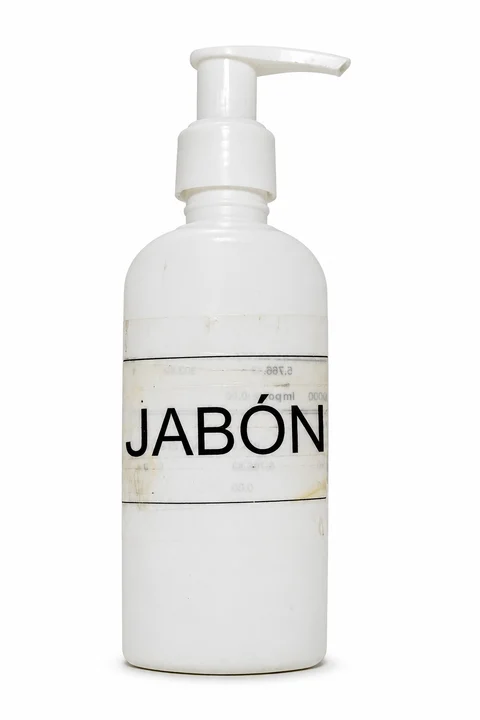
Original photo for: Put a product on whiteFirst measured result: Put a product on whiteBEFORESAVED AI RESULT

Saved example · GPT Image 2. Drag the slider to compare. Upload your own photo to try your settings.

Photo: ELTORO.VET · CC0 1.0

Recorded prompt and result notes

Replace only the gray background and tabletop with a seamless pure white studio background. Keep the exact soap bottle, pump shape, nozzle direction, label, all printed letters including JABÓN with its accent, worn marks, original proportions and framing. Add only a subtle natural contact shadow below the bottle. Do not clean up, redesign, relabel, crop or zoom the product. Return one realistic product photo.

All three outputs produced a white background and contact shadow. The main JABÓN label, accent, pump direction and worn marks remained recognizable. The source ratio was about 0.615; the outputs used 2:3. Small source text was too blurred for letter-by-letter verification.

How to use this template

Start with your photo, then adapt the instructions to what is actually in it.

  1. Upload a suitable photo.

    A sharp product photo with a readable label. Use a photo you own or have permission to edit.

  2. Describe one bounded change.

    Use a clear product photo. Check every label and logo in the result. Edit both instruction fields if their examples do not match your photo.

  3. Inspect before downloading.

    Inspect your actual label and product outline at full size. Use original-product compositing when exact preservation is essential; it is not available here yet. Comparing and downloading an existing result are free.

What happened in our three attempts

One input, one recorded prompt and three independent GPT Image 2 requests on 2026-11-12. These are exploratory examples, not a success-rate benchmark or a guarantee for your photo. The editable starting instructions above adapt the recorded prompt; they have not been separately benchmarked.

Products · S03Example with limits

Put a product on white

A sharp product photo with a readable label.
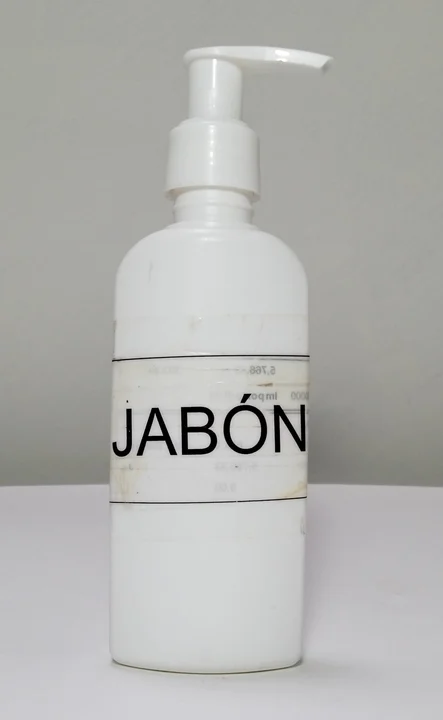
Original photo for: Put a product on whiteFirst measured result: Put a product on whiteBEFOREATTEMPT 1
Observed in three attempts
All three outputs produced a white background and contact shadow. The main JABÓN label, accent, pump direction and worn marks remained recognizable.
What changed or failed
The source ratio was about 0.615; the outputs used 2:3. Small source text was too blurred for letter-by-letter verification.
How to approach your photo
Inspect your actual label and product outline at full size. Use original-product compositing when exact preservation is essential; it is not available here yet.
See all 3 results, recorded prompt and photo source
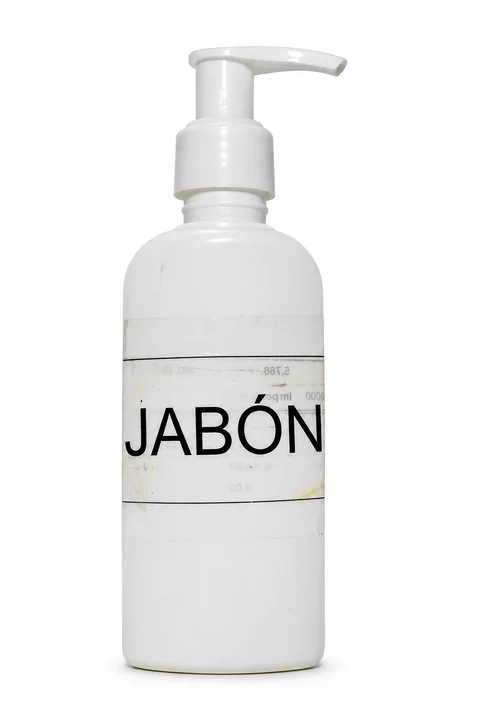
Attempt 1: Put a product on white
Attempt 1 · 1024 × 1536 original pixels
Attempt 2: Put a product on white
Attempt 2 · 1024 × 1536 original pixels
Attempt 3: Put a product on white
Attempt 3 · 1024 × 1536 original pixels

Recorded prompt · used unchanged for all 3 attempts

Replace only the gray background and tabletop with a seamless pure white studio background. Keep the exact soap bottle, pump shape, nozzle direction, label, all printed letters including JABÓN with its accent, worn marks, original proportions and framing. Add only a subtle natural contact shadow below the bottle. Do not clean up, redesign, relabel, crop or zoom the product. Return one realistic product photo.

Photo: ELTORO.VET · CC0 1.0. 1600x2600 JPEG resized proportionally to max edge 1536, JPEG quality 92; no crop or retouch.

GPT Image 2 · 2026-11-12 · three independent requests on one input. Model API charges: $0.0255 for this group; these are research costs, not the site's credit price. Display images are resized WebP copies without retouching.

The research used our model adapter rather than the complete account, billing and download flow. A completed image that does not meet your preferences still uses credits. See the pricing and failure rules.

Compare this case with all 12 tasks

Choose a different task to open its own instructions and measured examples.