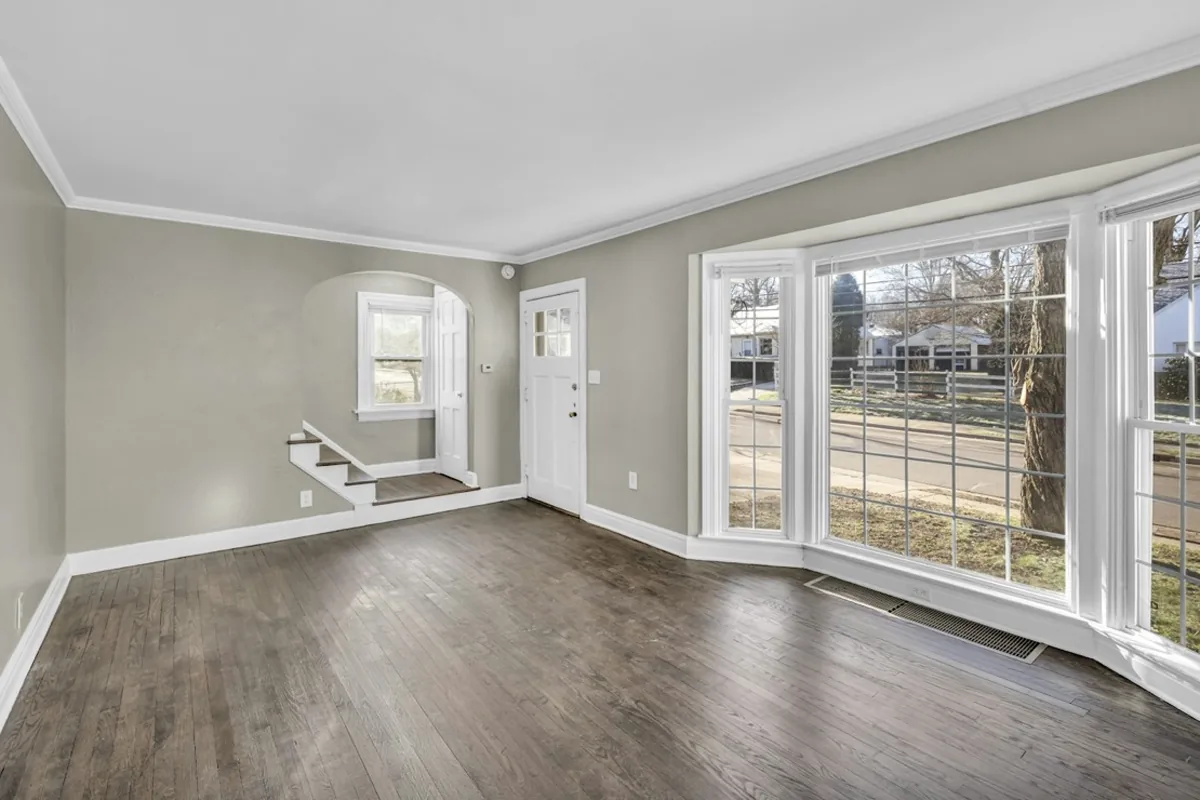
 BEFOREAI DESIGN
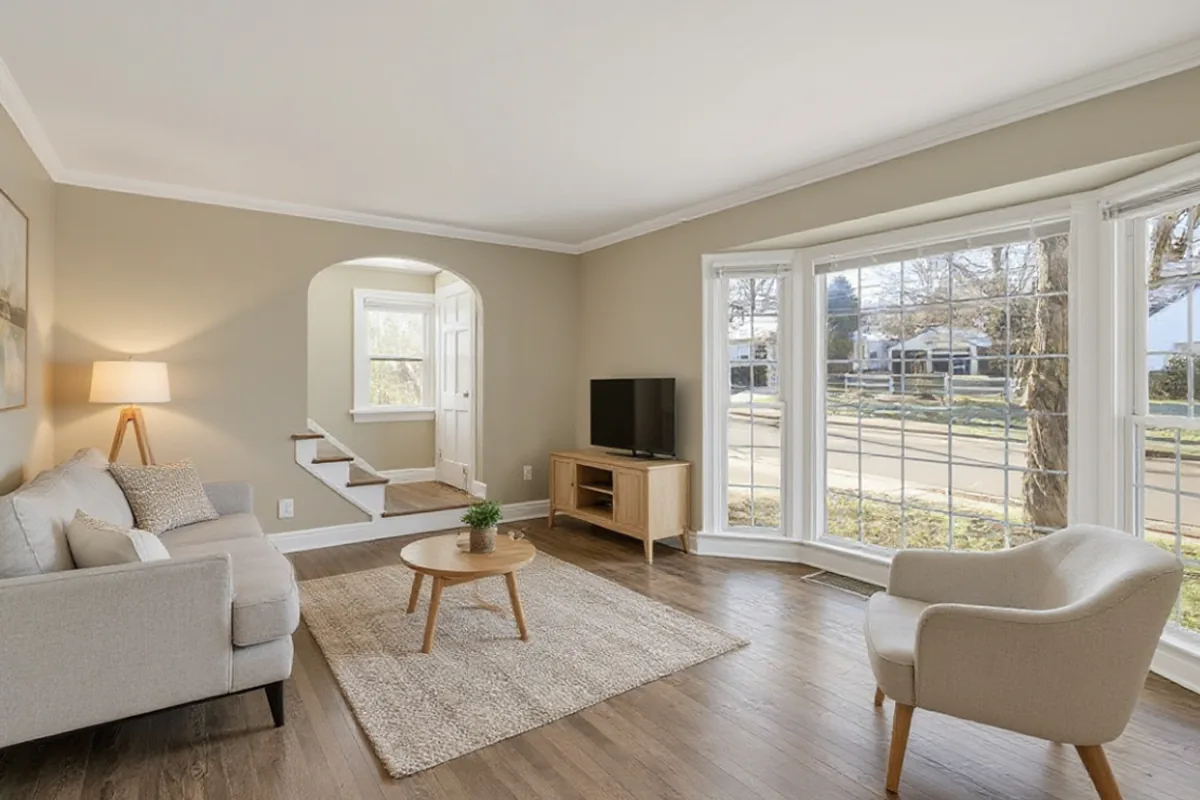
Scandinavian virtual staging
Light oak, soft neutral textiles and warm daylight—broad appeal for most property listings and rentals.
Photo: Josh Lemmon / Unsplash
Upload an empty room photo to add realistic furniture, rugs and lighting in six styles. Keep the real walls, windows and floor, and compare before and after.
BEFOREAI DESIGNEvery example below starts from the same unfurnished room photo. Drag the slider to check the bay window, arched doorway, steps and dark wood floor across styles.
BEFOREAI DESIGNLight oak, soft neutral textiles and warm daylight—broad appeal for most property listings and rentals.
Photo: Josh Lemmon / Unsplash
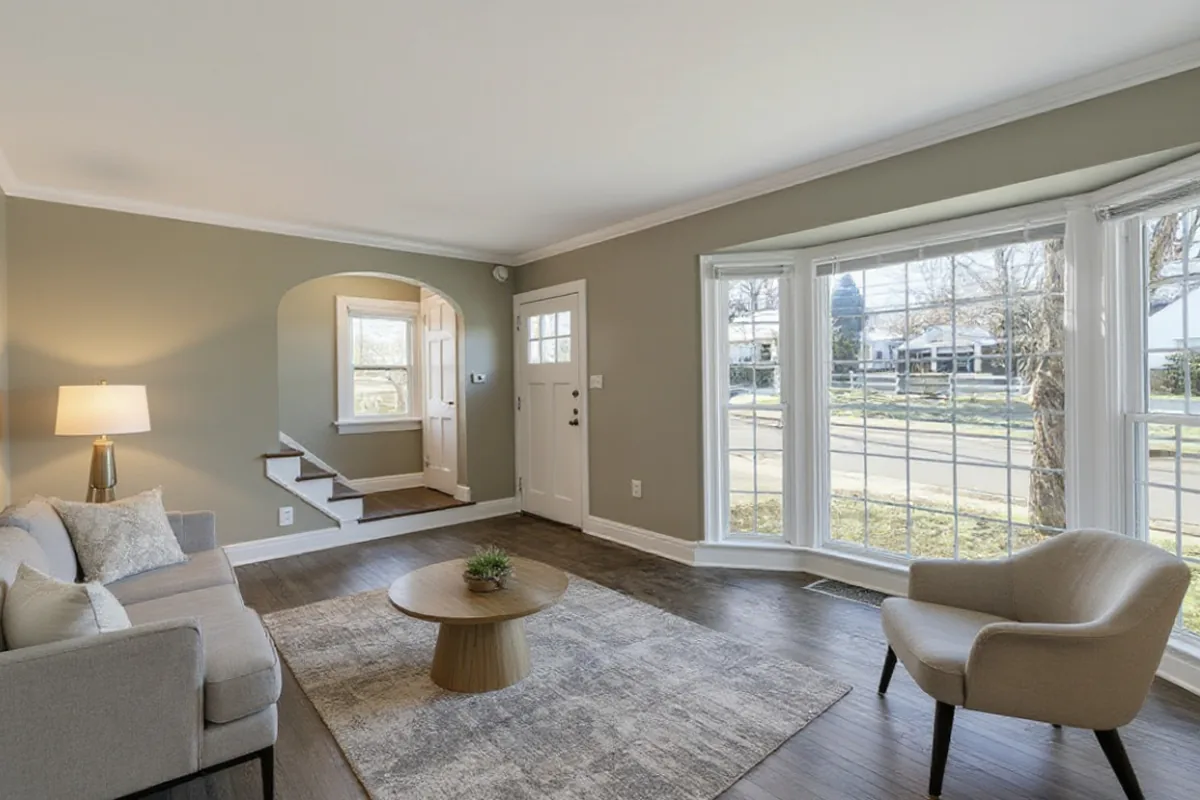 BEFOREAI DESIGN
Clean lines, neutral upholstery and balanced proportions that help buyers read room dimensions clearly.
Photo: Josh Lemmon / Unsplash
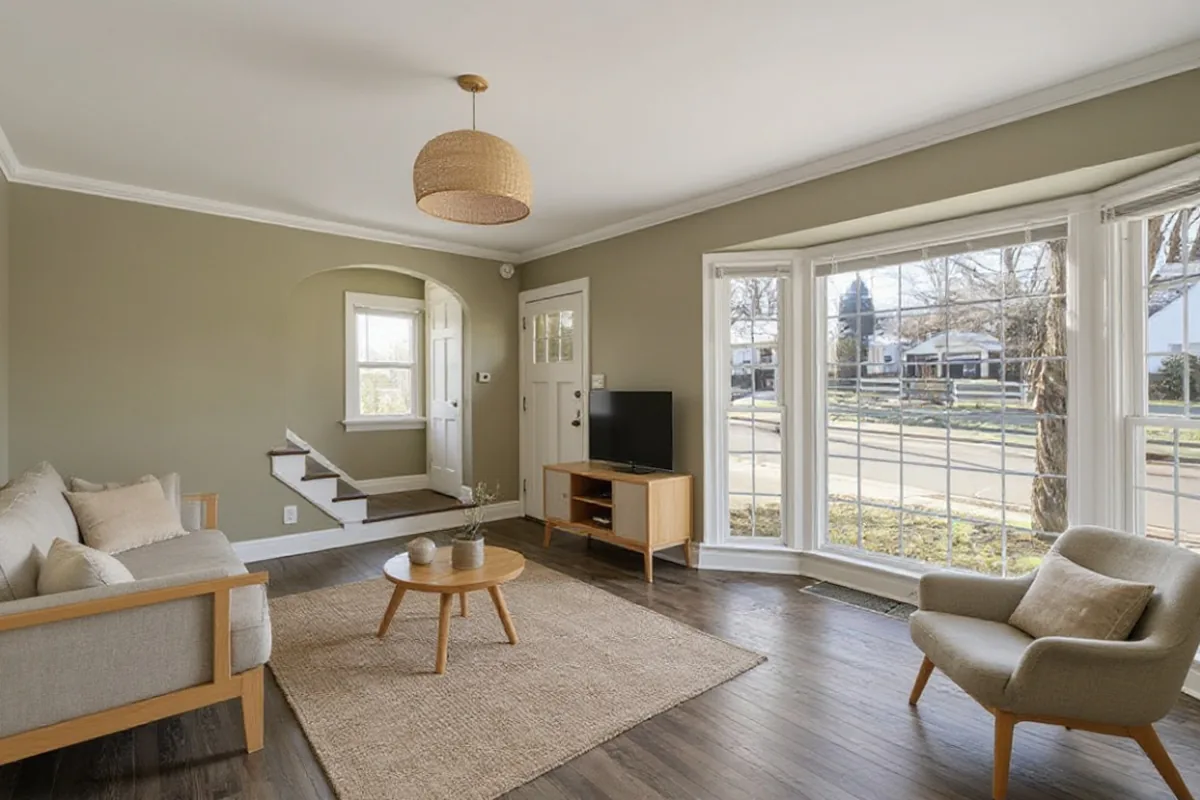 BEFOREAI DESIGN
Low-profile wood furniture, linen textures and calm earthy tones while keeping the bay window and floor intact.
Photo: Josh Lemmon / Unsplash
The questions that come up most when staging a bare room from one photo.
Yes, in most photos. AI Room Design asks the model to keep the walls, every window and door, the ceiling, the camera angle and the exact floor material and colour, and to add only furniture, a rug, lighting and decor. AI can still shift small details, so check each result with the slider.
A level photo taken from a corner at chest height, in daylight with the lights on, showing two walls and the floor. Dim or tilted photos make staged furniture look cold or out of proportion.
AI virtual staging treats anything left in the room as part of the scene and may turn it into decor. Clear boxes, cables and tools before you take the photo.
The AI judges room size from the photo alone, so wide-angle or very close shots can mislead it. Shoot from further back, keep the camera level, and generate another version if the scale looks wrong.
Virtual staging is built for bare, unfurnished spaces—helping buyers, renters or homeowners judge furniture scale and layout in an empty room. If a room already has furniture that you want to replace, use Room Redesign instead; staging mode adds furniture rather than clearing existing items.
For real estate listings, always compare the staged image against the original photo to confirm windows, doors and flooring remain accurate, label the image as virtually staged, and publish the original empty photo alongside it.
Three steps from an empty room photo to a staged concept you can verify.
Stand in a corner at chest height in daylight so two walls, the windows and the floor are clearly visible.
Virtual Staging is preselected. Pick the room type and choose from six interior styles.
Use the before/after slider to check that walls, windows and flooring stayed true before downloading.
AI virtual staging works best on a clear, well-lit photo of a genuinely empty room. It is the wrong tool in these cases:
Stage empty rooms without monthly subscriptions or hidden credit rules.
Staging adds furniture, rugs and lighting to an empty room while aiming to preserve the existing architecture and floor.
Every staged image sits in a before/after slider so you can verify doors, windows and floor material before publishing.
Download both your original empty photo and the staged concept so you can label images as virtually staged.
Stage a single listing or an apartment move without a monthly fee. Purchased credits never expire.
If a generation times out or fails technically, the credit is returned to your balance automatically.
Your property photos and staged versions are never placed in a public gallery and can be deleted anytime.
Preselect a room type in the staging workspace, then upload your empty room photo.
Show where a sofa, coffee table, rug and lighting fit in an unfurnished lounge.
Help buyers or renters judge bed placement, bedside clearance and natural light.
Turn a spare room or box room into a clear workspace with a desk and shelving.
Demonstrate dining table scale and seating flow without hiding the floor or windows.
One staged photo uses one credit. Failed generations are refunded automatically, and comparing or downloading existing designs is always free.
$9.99/ 60 credits
Enough to try plenty of ideas on your photos. Pay once; there is no subscription.
$19.99/ 200 credits
For bigger projects and lots of versions, at the lowest price per credit.
Every new account starts with 2 free credits, which expire after 30 days. Prices in USD; taxes may apply. Secure checkout by Stripe.
Empty room requirements, listing disclosure and credit packs.
Upload a photo of an empty room, select the room type and one of six styles, and the AI adds furniture, a rug, lighting and decor while aiming to keep the walls, windows, doors and floor unchanged.
Yes. You can test the empty room sample on this page without an account. To stage your own room photo, sign in with a verified email or phone number to get 2 free designs.
No. Virtual Staging is built for empty rooms and adds furnishings to bare spaces. If your room already has furniture that you want to replace, switch the task tab to Room Redesign.
You may use designs you generate for properties you have the right to market. Always check your local MLS or portal rules, label images clearly as virtually staged, and include the original empty room photo.
The staging prompt specifically instructs the model to keep the existing floor material, walls, windows, doors and camera angle. Because AI can occasionally shift details, always inspect the result with the before/after slider before using it.
One staged image uses 1 credit. After your 2 free designs, one-time credit packs are $9.99 for 60 designs (about 17¢ each) or $19.99 for 200 designs (10¢ each), with no subscription and no expiry.
Try the sample empty room right away, or sign in for 2 free designs on your own photo.
Upload empty room photo Photos stay private to your account · Privacy details